
Okay, let's talk about something really crummy: identity theft. It's when someone steals your personal stuff, like your name, address, or even your Social Security number, and uses it to do bad things. It can feel like a total invasion of your life, and I know it's super stressful.
Sadly, I've seen close friends and family members go through this, and it's heartbreaking. But don't worry, you can get through it! This post is here to help you through those first confusing moments and get your account back on track.
What's the Deal with Identity Theft and Cybercrime?
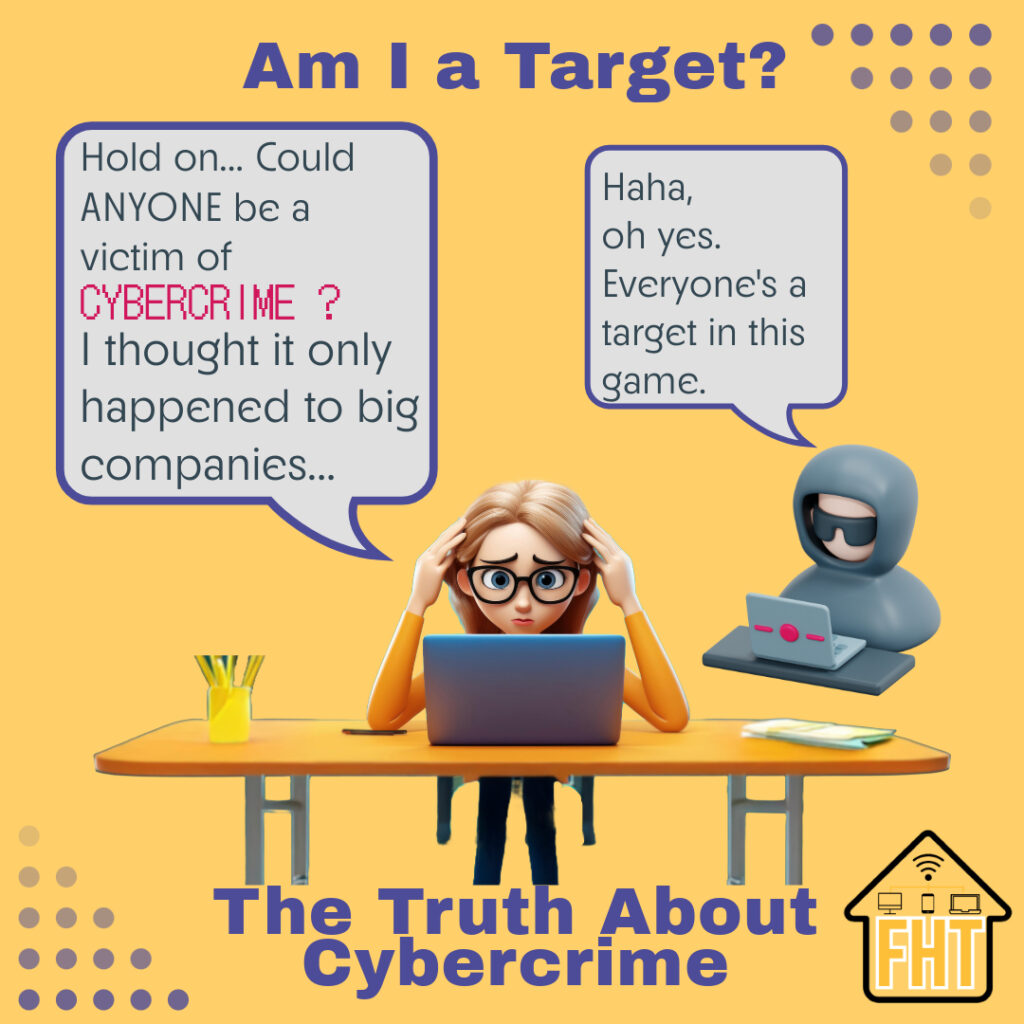
To protect ourselves from the bad guys, we need to understand what they're up to. "Cybercrime" is a general term for any crime that happens on the computer or online. This includes things like hacking into accounts, running scams, and stealing your personal information.
One common type of cybercrime is hacking social media accounts, where someone takes control of your profile to steal information or trick your friends.
One of the worst types of cybercrime is identity theft. That's when someone steals your "stuff" – like your name, address, or even your Social Security number – and pretends to be you. They might use this stolen information to open fake accounts, get loans, or even file taxes in your name!
Hackers use sneaky tricks to do this, like "phishing" (sending fake emails that look real), "malware" (bad software that can spy on your computer), and "data breaches" (when companies get hacked and your info gets stolen).
Social media is a fun way to connect, but it's also a place where identity theft, which is a type of cybercrime, can happen. We often share a lot of information online, which can unfortunately help thieves. They can even commit the cybercrime of hacking into your account to steal your info, or create fake accounts to trick people. So, what can you do to stay safe? It's all about privacy, strong passwords, and being smart about what you share.
You've Been Hacked! Now What? (Don't Panic!)
Okay, deep breaths. It's scary, but you can fix this. As we discussed in "My Social Media Account Hacked" and "Protecting Your Information and Your Friends ", taking preventative measures is key, but if the worst has happened, here's what to do:
- Call Your Bank and Credit Card Companies: Tell them what happened and close any accounts the thief might use.
- Freeze Your Credit: This makes it harder for the thief to open new accounts in your name. You can do this for free with the big credit companies.
- Report It to the FTC: The Federal Trade Commission (FTC) is like the police for identity theft. Go to reportfraud.ftc.gov to tell them what happened. This report proves to businesses that someone stole your identity and makes it easier to fix problems caused by identity theft. You can learn more about the FTC identity theft report in this video: IdentityTheft.gov Helps You Report and Recover from Identity Theft | Federal Trade Commission [00:30].
What if Just My Social Media Account Was Hacked?
Acting fast is key. But what if it's "just" your social media? Do you really need to do all the things?
It depends on how bad the hack was. Here's a breakdown:
- Change ALL Your Passwords:
- Do this: ALWAYS, even if it seems minor. Hackers often try to use your social media password to access other accounts.
- Why: To prevent a domino effect where the hacker gets into everything.
- Check Your Social Media Settings:
- Do this: ALWAYS. Hackers often change settings to lock you out or gather more info.
- Why: To regain control and limit further damage.
- Notify Your Social Media Contacts:
- Do this: ALWAYS. It's the right thing to do to warn your friends about potential scams.
- Why: To protect your network from being victimized.
- Call Your Bank and Credit Card Companies:
- Do this if: You see any suspicious activity on your account OR if you think the hacker might have accessed messages containing your financial information (e.g., if you've sent payment details in a private message).
- Why: To prevent financial loss and fraud.
- Freeze Your Credit:
- Do this if: You're worried about identity theft (the hacker might try to open new accounts in your name). This is a good idea if the hack was serious or if you're generally concerned about identity theft.
- Why: To make it harder for thieves to open new accounts.
- Report It to the FTC:
- Do this: It's a good idea to report it anyway, as it helps the FTC track trends.
- Why: To contribute to broader efforts to combat cybercrime. It might also be required for certain recovery processes.
Recovery and Support - You're Not Alone!
Okay, you've done the immediate stuff. You've changed passwords, warned your friends... That's awesome!
Now, let's talk about what comes next. Getting hacked can really mess with your feelings, and that's totally normal. But remember, you're not alone. Lots of people go through this, and there are ways to get back on your feet.
First, make sure you keep your accounts safe by using those strong passwords we talked about and checking for anything weird. And don't be afraid to talk to someone you trust – a friend, family member, or even a counselor. They can really help you feel better.
If you're currently a victim of online theft, visit our "I Am A Victim" page for immediate support and guidance. Don't wait, empower yourself today!
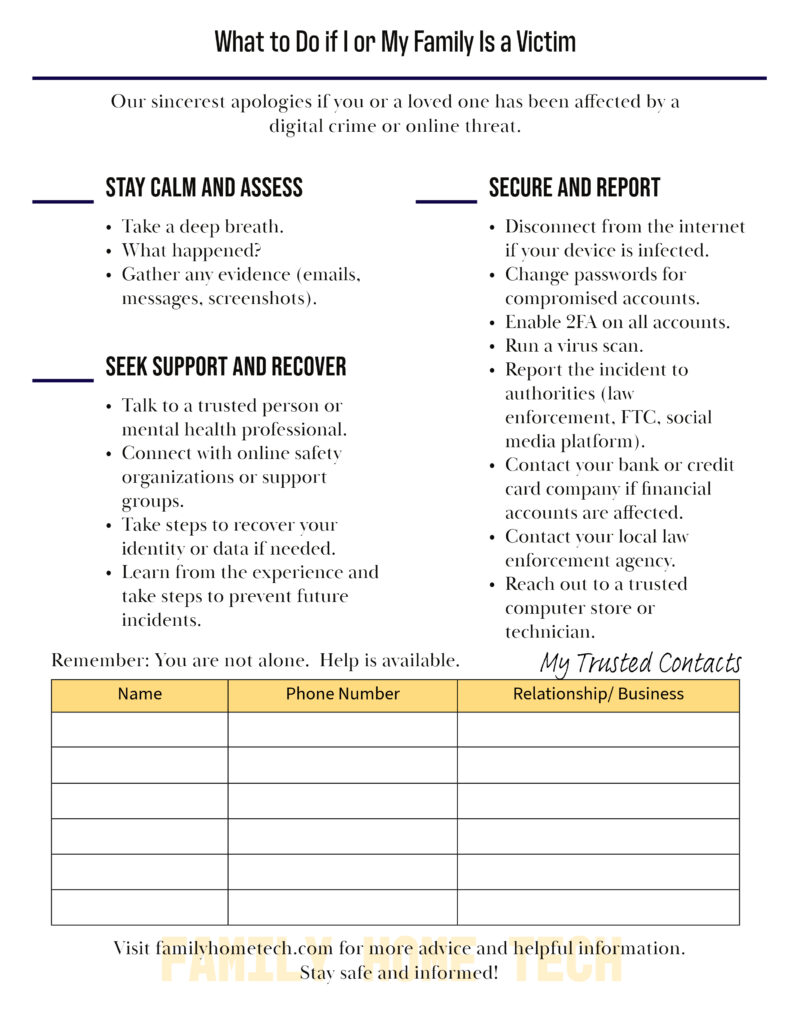
To have a handy reference in case you need it, download our free "What to Do if I or My Family Is a Victim" guide. It's got a step-by-step checklist to help you navigate the situation.
Ready to take control of your digital life and protect your family?
Sign up for the Family Home Tech newsletter and get instant access to our free "What to Do When..." guide, packed with practical solutions for everything from hacked accounts to online scams.
Plus, you'll receive a treasure trove of other printable resources, including checklists, templates, and guides, designed to make your digital life easier and safer.
Think about the people in your life who might be vulnerable to online scams. How can you help them stay safe? What steps can you take today to protect yourself and your family from online scams? How can you start a conversation about online safety with your loved ones?
By following these steps, you can regain control of your social media and protect yourself from future attacks. You've got this!
Get your free toolkit resources! Join the Family Home Tech community and check out the "Resources" page here: Resources Page
Want to learn more about the TECHSAFE Family Toolkit and how it can help your family thrive in the digital world? Click here or the button below to see how it can help you.