

Ever feel like you're drowning in a sea of screens? Your kids are constantly on their phones, tablets, or computers – even for school! It can be tough to keep up with all the apps, games, and social media they're using. You want them to have fun and learn online, but how do you keep them safe? How do you find a balance between the digital world and real life?
If you've been asking these questions, you're in the right place!

Screen Time for Kids: Finding the Right Balance
Let's be honest, managing screen time for kids can feel like a never-ending battle. But it doesn't have to be! What if you could find a healthy balance that works for your family? Wouldn't it be wonderful to have real, face-to-face conversations with your child without distractions from the beeps and buzzes of notifications?
How to Reduce Screen Time for Kids with a DIY Schedule
One effective way to manage screen time is to create a structured schedule that outlines when and where screen time is allowed and when it's not. This helps everyone in the family know what to expect and reduces conflicts and negotiations.
Here's how you can create your own DIY screen time schedule:
- Identify Tech-Free Zones: Decide which areas of your home will be designated as tech-free zones, such as the dining table, bedrooms, or play areas.
- Establish Tech-Free Times: Set specific times each day when screens are off-limits, such as during meals, family time, or an hour before bedtime.
- Schedule Screen Time: Allocate specific times for screen time activities, such as educational apps, entertainment, or video games.
- Be Flexible: Allow for some flexibility in the schedule for special occasions or unexpected events.
- Communicate Clearly: Discuss the schedule with your children and ensure they understand the expectations and boundaries.
By creating a clear and consistent schedule, you can help your family develop healthier tech habits and create a more balanced digital life.
Here are a few ideas from the TECHSAFE Family Toolkit to get you started:
- Set Limits: Talk with your kids about how much screen time is okay each day. Make a plan together and stick to it!
- Tech-Free Zones: Create special places in your home, like the dining table, where phones and tablets are off-limits. This helps everyone connect and enjoy each other's company.
- Discover Fun Offline Activities: Encourage your kids to explore hobbies, play outside, or get creative with art projects. The possibilities are endless!
Remember, children learn by example. If you also set limits on your screen time and are intentional about engaging with your children, they'll be more likely to follow in your footsteps.

Reduce Screen Time with a Free Printable Calendar
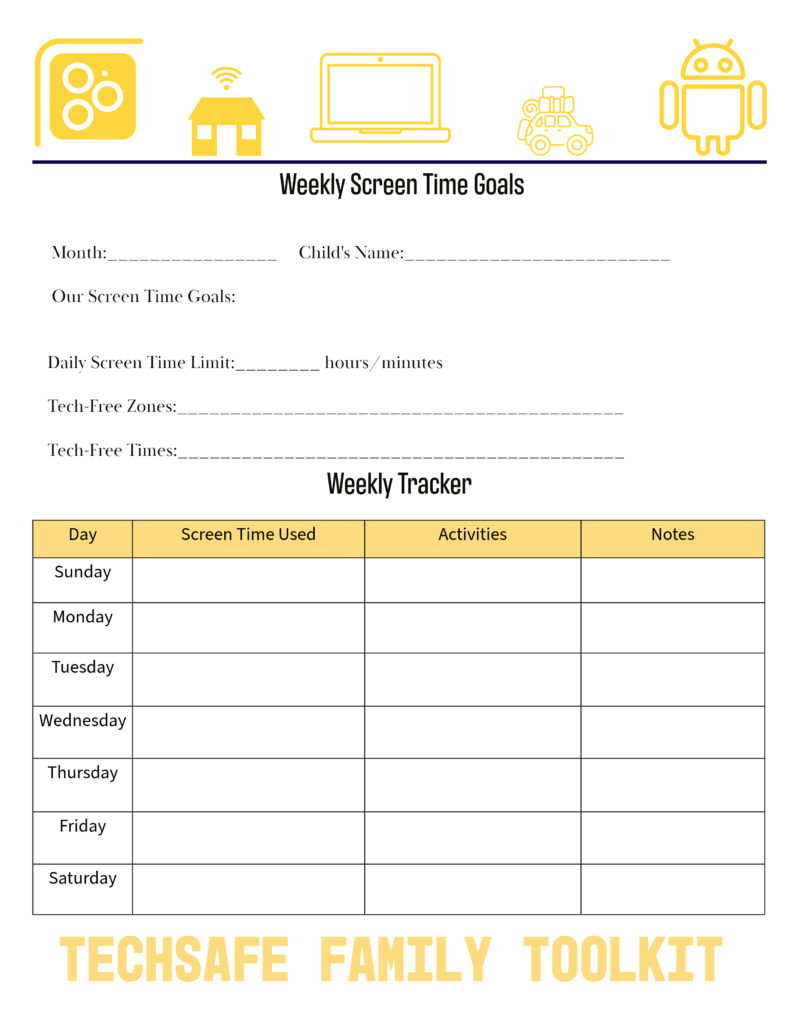
But if you are like me and are looking for something that has already been created, Lisa and I have created a printable schedule that you and your family can start using today. It's a free Weekly Screen Time Calendar. It is part of the TECHSAFE Family Toolkit, but you can have it and many more other printables free just by signing up for our newsletter.
Want to learn more about the TECHSAFE Family Toolkit and how it can help your family thrive in the digital world? Click here or the button below to see how it can help you.
By implementing these strategies and using the resources available to you, you can create a healthier and more fulfilling digital life for your family.